What are you looking for?
 How to create a Submission?
An employee will capture customer details, product information, and agency details, which can be used to create quotes for various products.
For more details on creating a Submission, click here.
How to create a Quote within a Submission?
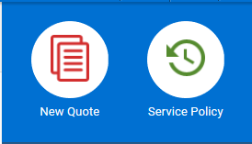
To create new quote, click New Quote on the dashboard.
You will be navigated to the Quoting screens as redirected when you proceed to create new quote through submission.
For more details on creating a Quote, click here.
How to convert a Quote into a Policy?
When you view the final premium on the Quote screen, download the Rating Worksheet. An Employee can contact the Agent to capture any additional information if required through Request More Info.
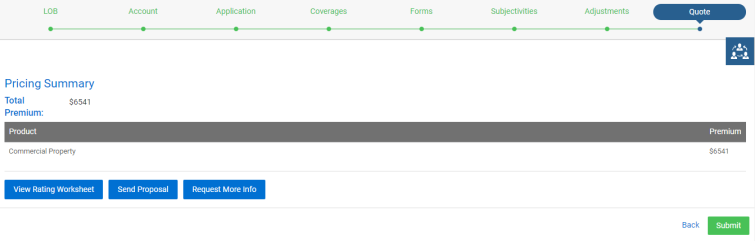
You can proceed with the quote by clicking Submit.
How to process an endorsement?
To process post new business transactions such as endorsement or renewal, navigate to Service Policy and search for the policy where you wish to process the transaction.
For more details on processing endorsement, click here.
How to view the policy details of your customers?
You can view the policy details through Policies page on the left pane of the dashboard.
For more details on policies of your customers, click here.
How can a policyholder view his policy details or claims?
You can login to the Customer portal using your credentials, where you can access your details. On your dashboard, you can view Your Policies and Your Claims.
For more details on your policies, click here.
For more details on your claims, click here.